2025-12-20
15 min read
What Is a VPS and Why Every Developer Should Set One Up
This article is written for software developers who want to understand real-world systems, security, and deployment beyond localhost.
Most developers never touches a real server 😅. They write code, push it somewhere, and hope it works. A VPS forces you to understand what actually happens after “deploy”.
This blog will be part of a series that will be all about VPS with the title "From 127.0.0.1 to secure systems"
Why Developers Eventually need a VPS
- Let’s talk in real every developer, when starting their career or work on personal projects they develop on local environment (their own PC) and they host their work on third party providers, without knowing in the background what is going on and how the work is actually done 🤔.
- When you host your app or website, you usually host it on some of the third party providers, most of the hosting platform they take your code or project and they host it on their servers or Virtual Private Servers, and they take care of these servers from zero config to fully protected internal server.
- At some point of time a developer or software engineer (like me or you) will think and say how this is done ?! Can I do that ? what does that require ? what is happening in the background !?
- Setting up A VPS teaches more about real software systems than most tutorials, you will learn about setting up a server from zero, about security, logging, users in the system, networking and much more….
What is a VPS (Simple, Clear Explanation)
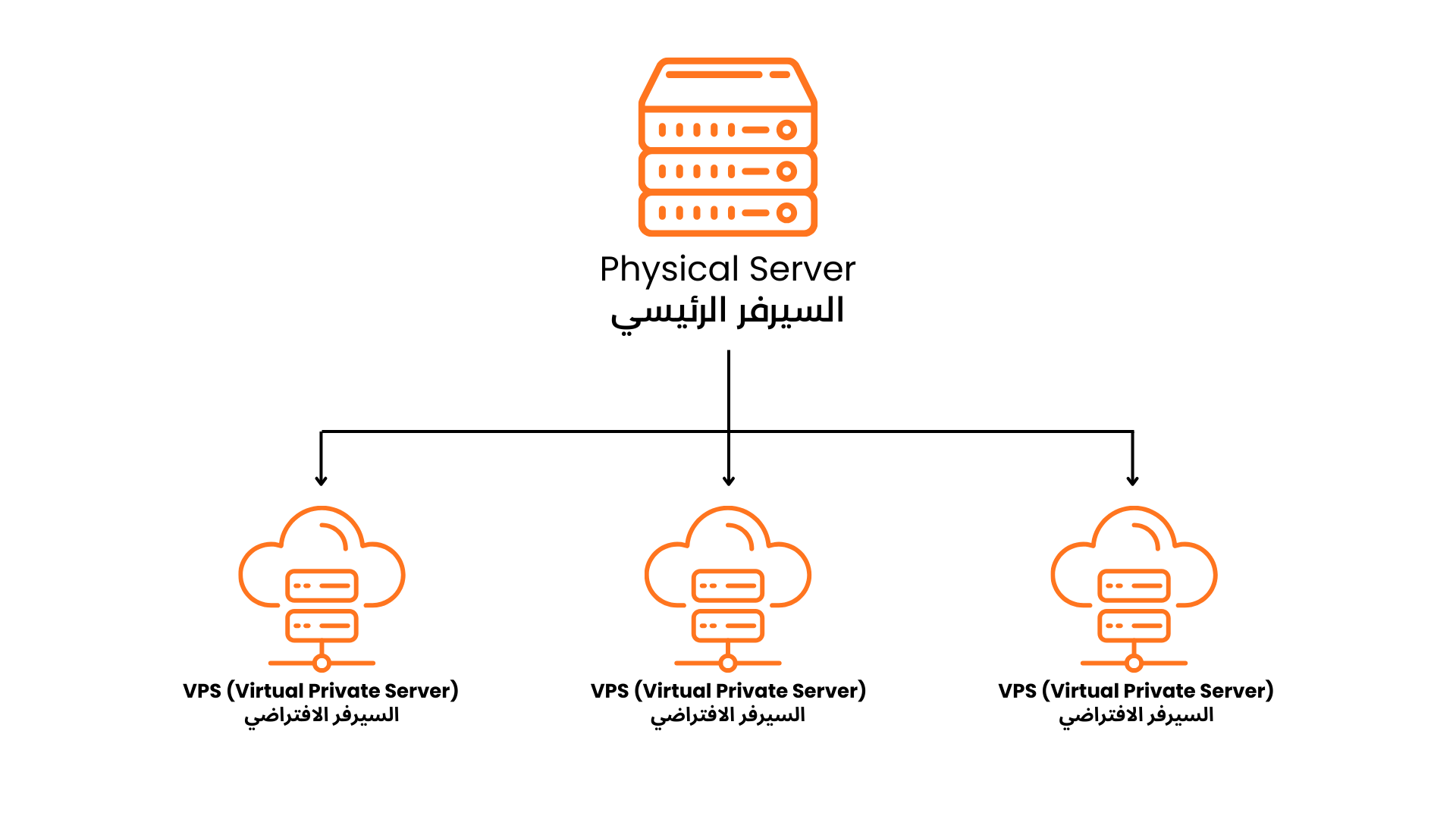
- VPS as stated before stands for Virtual Private Server.
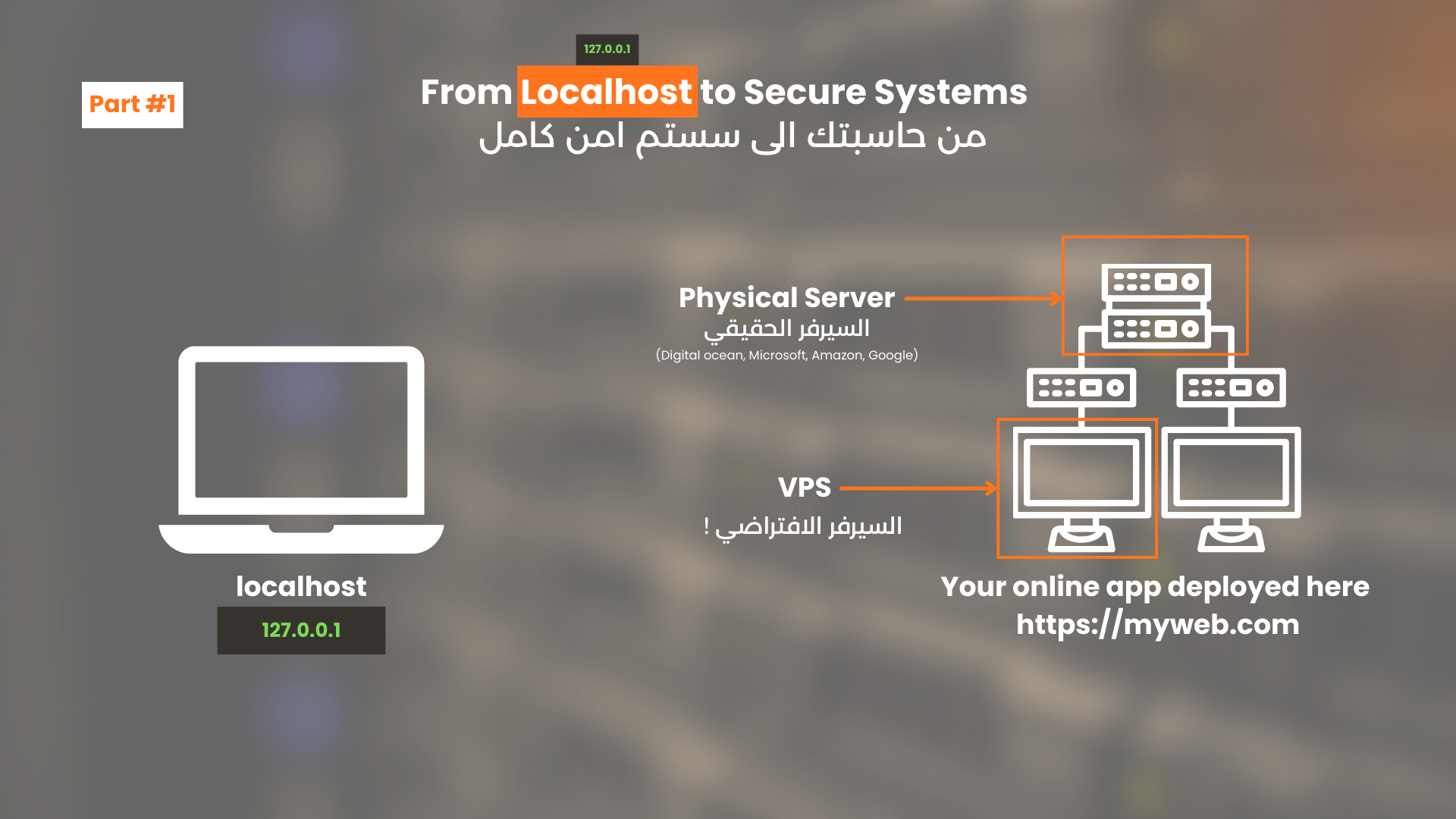
- A VPS can be thought of as a virtual computer running inside a larger physical server that will run your project as you run it on your laptop or personal computer, and you will be able to access the running project via some type of link usually something like “https://something.com” or “https://10.10.10” for example if a domain is not assigned to the IP Address, the IP address is the IP of the VPS that is available publicly.
- A single physical computer or single physical server can have many VPSs
- A VPS is simply a virtual machine (if you don’t know what a virtual machine) see the following link ⇒ https://www.ibm.com/think/topics/virtual-machines
- A lot of providers such as Google, Amazon, Microsoft provides services to have your own VPS.
- When you have your own VPS you can imagine it as your own PC available online and anywhere !
Why Every Developer Should Set Up a VPS
I recommend every developer start setting up their own VPS, and experiment with it,
you will get to know a lot of the under hood operations !
When you setup a VPS from zero you usually go to steps in the following order:
- Choosing a provider: a provider that will give you a VPS (E.g] Digital Ocean, Microsoft, Google..etc).
- Operating System Installation (if already not chosen and installed)
- Securing Your Server: Setting up firewalls, SSH keys for secure login, and disabling root login are just some of the steps you’ll take. Security is one of the most critical aspects of server management, and understanding how to lock down your server will make you more aware of potential vulnerabilities.
- Install and configure web servers: To host your websites and systems
- Database setup: To have all of your databases.
- Deploying code.
- Monitoring and maintenance:.
- Scalability and performance tuning.
These steps and configuration will take a lot of time from you and will give you knowledge that no tutorial or course will give you, because you will struggle a lot and you will have to search and discover a lot of the stuff by yourself, you will understand mostly these concepts:
- Understanding how production really works.
- Learn Linux properly (since most of the VPS' are Linux based)
- Build real deployment skills.
- Practice security in real conditions.
VPS as a Cybersecurity & AppSec Learning Tool
A VPS is not just a deployment platform. It is one of the most effective hands-on learning environments for cybersecurity and application security.
Unlike local development or fully managed platforms, a VPS exposes you directly to the same risks, responsibilities, and attack surfaces that exist in real production systems.
Realistic Attack Surface
When you deploy an application to a VPS and expose it to the internet, you immediately introduce a real attack surface:
- Open ports.
- Public IP Address.
- Running Service.
- Authentication Mechanism.
- Logs and system events.
This forces you to think like both a developer and an attacker, which is a fundamental skill in application security.
Conclusion
VPS is not just a place to host your apps or systems, but also a learning tool that will change your whole mindset and will boost your skills from side of setting up server or securing systems, or working with Linux.
So running and deploying your own VPS it is one of the best choices you can make, and the earlier to make this experiment the better.